Author: admin
-
Creating a CI/CD Environment (Part 1)
I’m going to create a Docker container infrastructure for CI/CD. Let’s assume we already have a Docker installation with Portainer.
Essential Containers for CI/CD:
- GitLab CE
-
Function: Code repository + pipeline management.
-
Image:
gitlab/gitlab-ce -
Ports:
-
80: HTTP (web interface)
-
443: HTTPS (web interface)
-
22: SSH (clone the repository and commit to the remote)
-
-
Considerations:
- Mount volumes for persistent data:
- /etc/gitlab
- /var/opt/gitlab
- var/log/gitlab
- Mount volumes for persistent data:
-
- GitLab Runner
-
Function: Executes pipeline jobs (build, test, deploy, etc.)
-
Image:
gitlab/gitlab-runner -
Execution types:
-
Docker: Each job runs inside a separate container. (I’ll use this one.)
-
Shell: Jobs run directly on the host (or container).
-
-
Recommended Folder Structure:
/infra-ci-cd/
│
├── docker-compose.yml
├── gitlab/
│     ├── config/
│     ├── logs/
│     └── data/
│
└── runner/
└── config/
Container Creation
#docker-compose.yml

services:
  gitlab:
    image: gitlab/gitlab-ce:latest
    restart: always
    hostname: 'gitlab.local'
    ports:
      - '880:80'
      - '8443:443'
      - '822:22'
    volumes:
      - './gitlab/config:/etc/gitlab'
      - './gitlab/logs:/var/log/gitlab'
      - './gitlab/data:/var/opt/gitlab'

  gitlab-runner:
    image: gitlab/gitlab-runner:latest
    restart: always
    volumes:
      - './runner/config:/etc/gitlab-runner'
      - '/var/run/docker.sock:/var/run/docker.sock'
I’ve specified different ports on the local machine mapped to the necessary container ports to avoid conflicts:
ports:
  - '880:80'
  - '8443:443'
  - '822:22'
Once everything is set up, run:
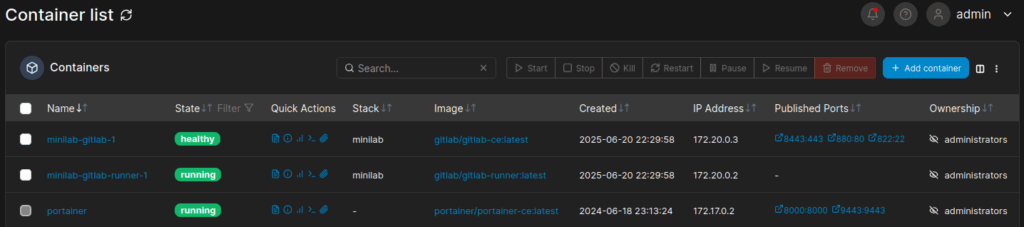
docker compose up -dThis will start the containers, which we can view in Portainer.
Accessing GitLab
In the
/etc/hostsfile, I configure the domaingitlab.localto access it via the web browser.#/etc/hosts 127.0.0.1 gitlab.localTo obtain the root password automatically created by GitLab, run:
docker exec -it [nom_contenidor_gitlab] grep 'Password:' /etc/gitlab/initial_root_passwordYou can now access http://gitlab.local:880 and log in with the
rootuser and the retrieved password. Next, I create a blank project for the API (I’ll create a new project for the frontend in next steps):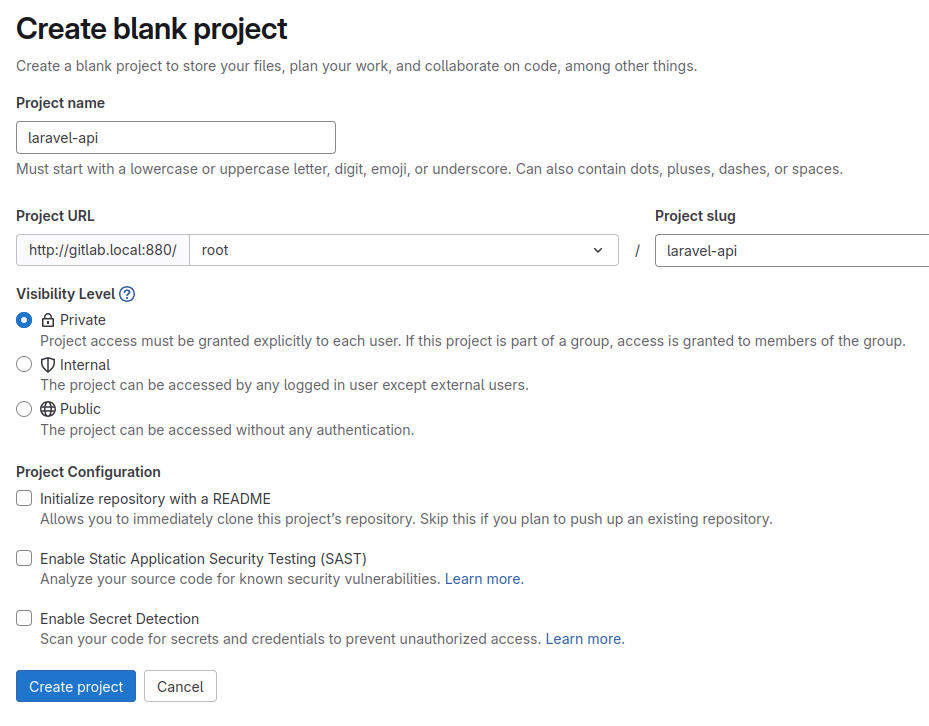
In the next part, I’ll make the first commit to configure the pipelines.
- GitLab CE